
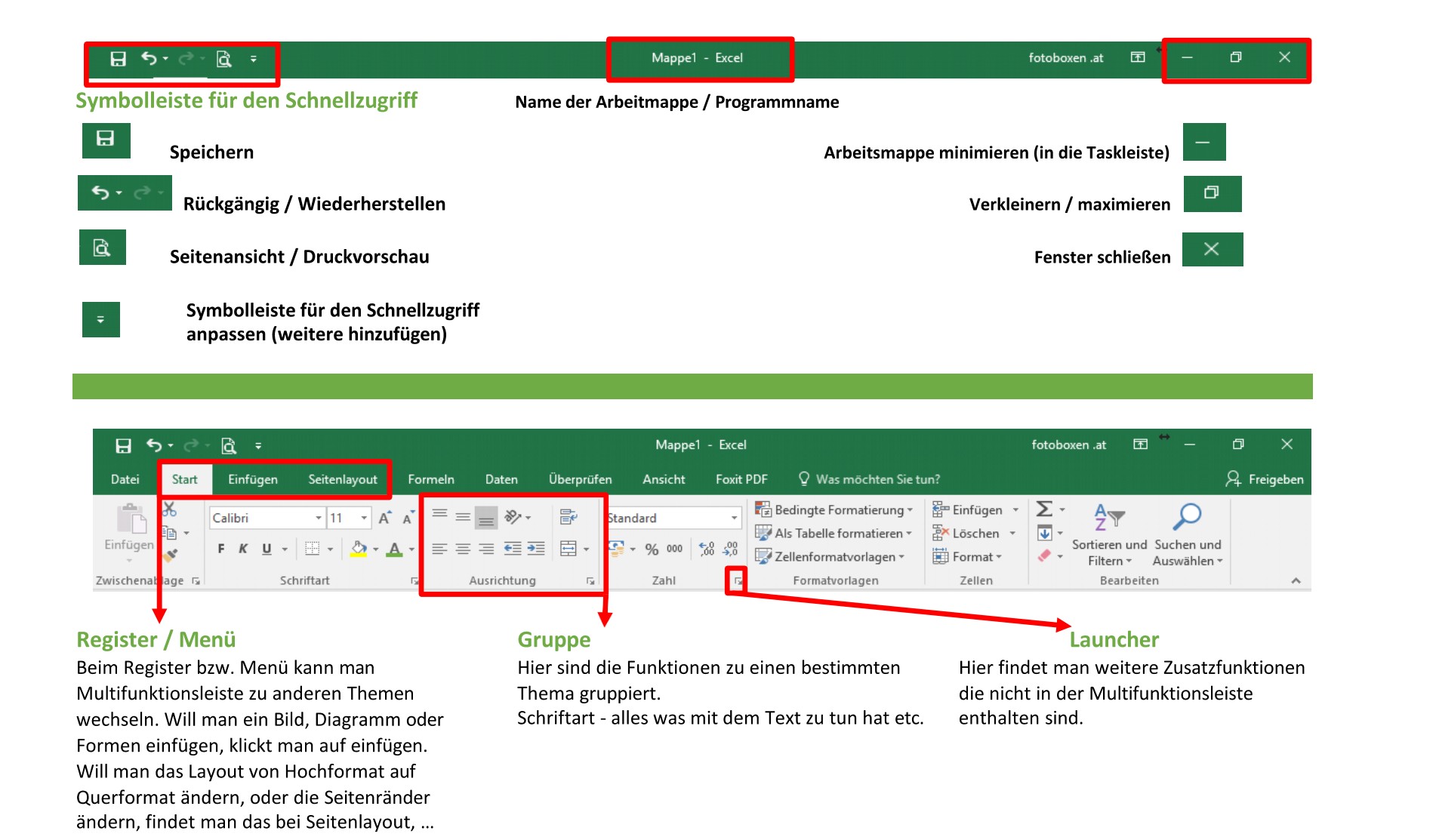
Register / Menu
The tabs or menu allow you to switch between different areas of Microsoft Excel. Each tab contains tools and functions related to a specific topic.
Examples:
- Home → Formatting text, fonts, colors and alignment
- Insert → Insert pictures, tables, charts, shapes or SmartArt
- Page layout → Change page margins, set portrait or landscape orientation, adjust print layout
- Formulas → Using functions and calculations
- Data → Sort, filter, and analyze data
- View → Change zoom or adjust window
The tabs help you quickly find functions by topic.
group
Within each tab, the functions are organized into groups. This keeps similar tools grouped together and clearly arranged.
Examples:
- Font → Font size, font color, bold, italic, underline
- Alignment → Align text left, center, or right
- Number → Number formats such as currency, percentage or date
- Clipboard → Copy, Cut and Paste
Grouping makes work easier and provides a better overview of the available functions.
Launcher
The launcher is located in the bottom right corner of some groups in the ribbon. It is represented by a small arrow.
Clicking on the launcher opens additional settings and advanced functions that are not directly displayed in the multifunction bar.
Examples:
- Advanced font settings
- Detailed cell formatting
- Additional alignment options
- Advanced page or print settings
The launcher provides access to additional tools for more precise customization and professional settings.